
Every payment checked.
When a guest shows a payment screenshot, staff just take a photo. AI reads the amount, the UTR and who was paid — and checks each one against the bill before the table is closed.
Real screens, from our demo restaurant.
Kiln House, Gurugram, is the restaurant we demo Nowish on. Its guests and figures are made up; the screens are the real thing.
 01
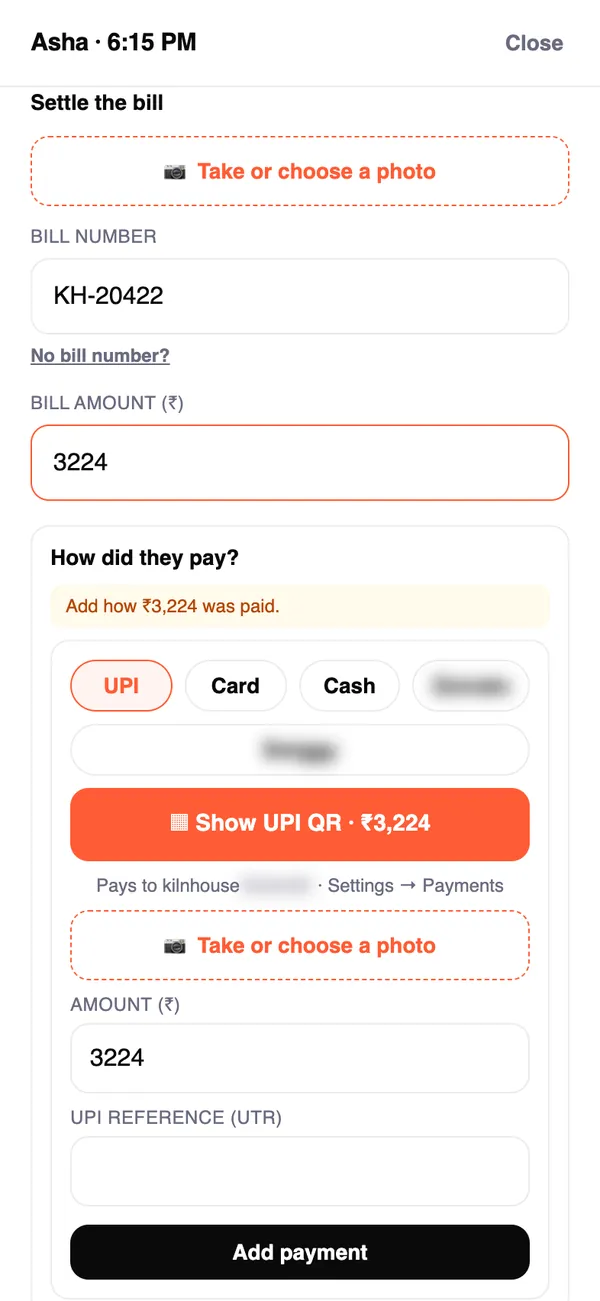
01Settle with two photos
A photo of the bill, and a photo of how the guest paid — UPI screenshot, card slip, cash or bank transfer. Settle won't close until it adds up, or staff say why.
 02
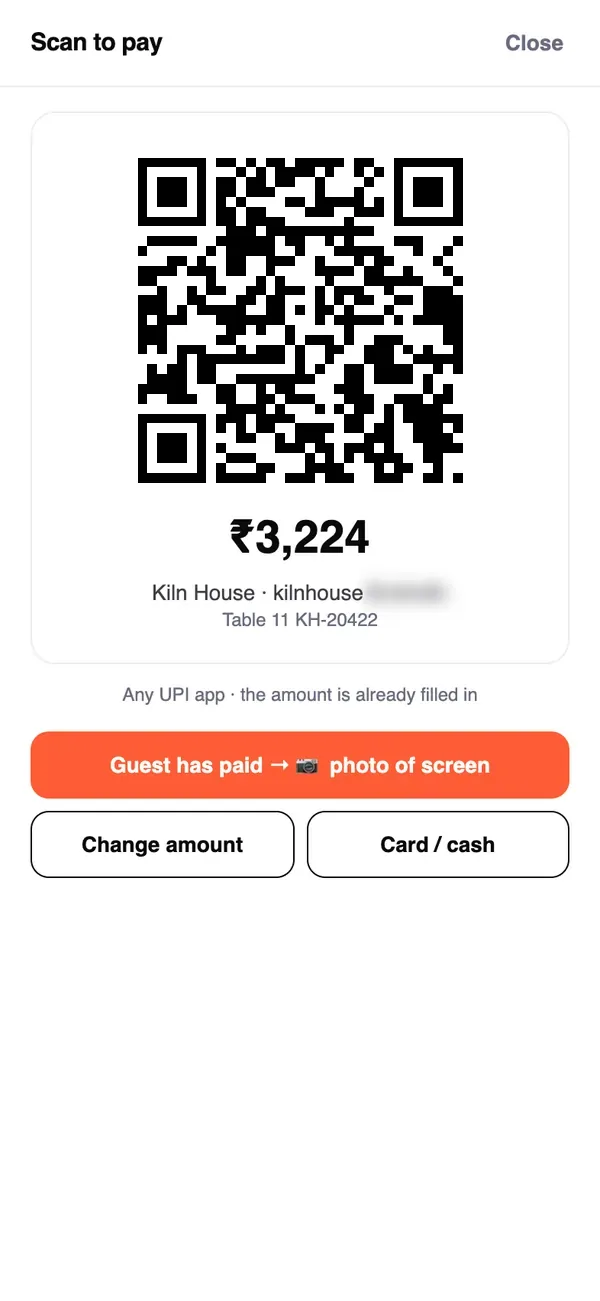
02Your own UPI QR
Settle shows your UPI QR with the bill's amount filled in, for the guest to scan — the money goes straight to your UPI ID. Nowish never takes or holds money.
 03
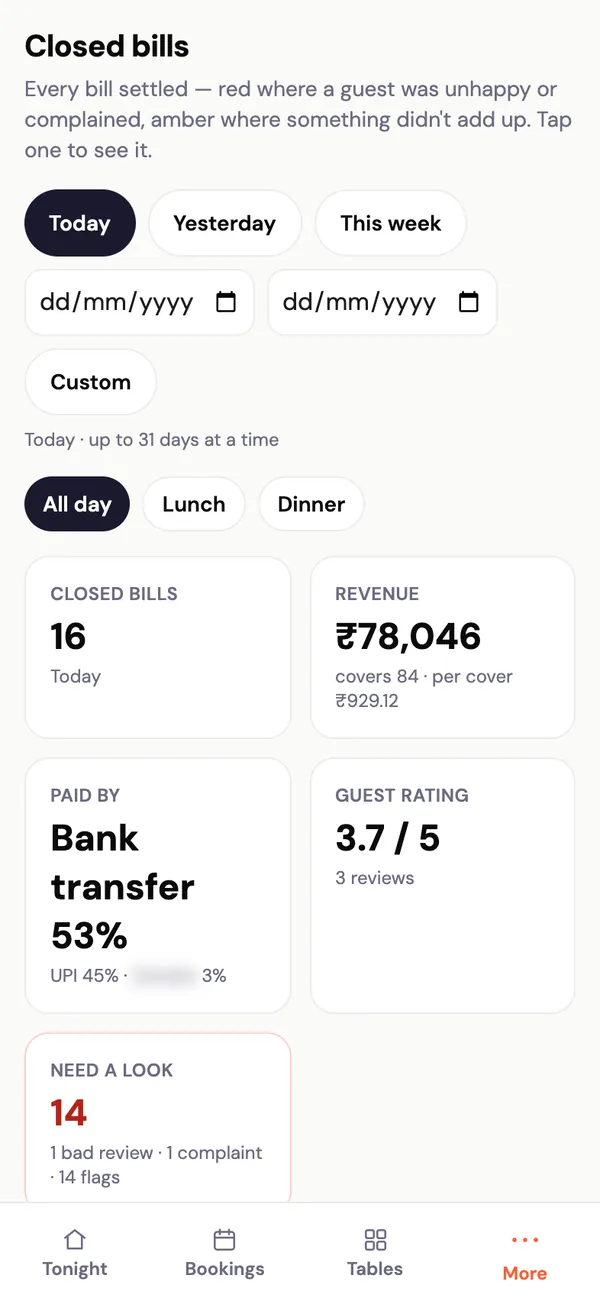
03Every bill, settled and checked
Closed bills shows every bill — red where a guest was unhappy or complained, amber where something didn't add up.
 04
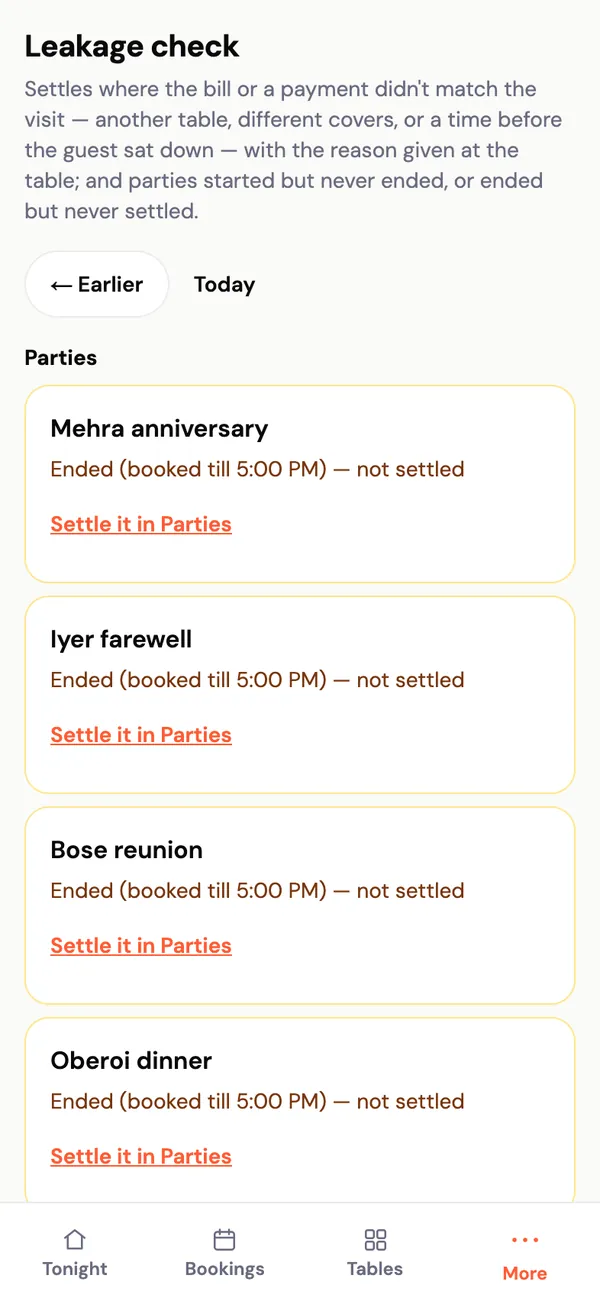
04What didn't add up
The leakage check lists settles where the bill or a payment didn't match the visit, with the reason staff gave — and parties started but never settled.
What it does
- The amount matches the bill
- The UTR has never been used before — one payment can't settle two bills
- The money went to your UPI ID — if not, staff give a reason and the owner is alerted
- Paid short? Settle won't close until staff pick a reason
- Also checks card slips and app payments
- Works alongside the billing system you already use
What owners ask
Does it work with my billing system?
Yes. Nowish works alongside the billing system you already use — it reads the printed bill from a photo, so nothing at your counter has to change.
Does Nowish handle the money?
No. Guests pay you directly. Nowish checks the payment against the bill; it never takes or holds money.
What if the internet is down?
Nowish needs mobile data or Wi-Fi. It works on any phone, and staff can type figures if a photo can't be read.
See Nowish in your restaurant.
Thirty minutes, at your place or on a call. We'll show it running on your own menu and tables.